macOS · Utilities · Review first
Find out where your AI storage went.
Your models and agents are quietly eating the disk. Forge for AI: Storage Cleaner names every gigabyte that Claude, Codex, Ollama, LM Studio and Hugging Face have written to your Mac — then only ever offers to clear the caches.
macOS 13 Ventura or later — Apple silicon and Intel.
14 days free, then £3.99 once Nothing is permanently deleted No account, no analytics
It recognises what these write to disk
AI & Models
It finds gigabytes. Then it refuses to touch most of them.
This is the part other cleaners get wrong. Local AI tools scatter huge amounts across your home folder — but most of it is the last thing you should delete.
The gold sliver is the regenerable download caches and runtimes — things your tools fetch again on demand. The rest is model weights and session history: a local model can be tens of gigabytes and just as many to download again, and a transcript is sometimes the only record of a piece of work. Forge sizes them, opens Finder, and will not remove them at all.
“The pitch is visibility, not reclamation.” Real figures from the Mac in our screenshots. Yours will look nothing like it — that is rather the point.
Three tiers, on every single item
Every row tells you what it is before you decide.
Size, full path, and a tier. Nothing is queued on your behalf, and one of these tiers the app cannot act on at all.
Safe
One click queues the lotRegenerable caches your tools rebuild themselves. Clearing them costs you nothing but the next rebuild.
- ~/Library/Developer/Xcode/DerivedData
- ~/.npm/_cacache
- ~/.cache/puppeteer
Review
Manual opt in, every timeReplaceable, but it costs you time and bandwidth to get back. Forge will never tick these for you.
- CloudKit cache
- ~/.codex/plugins/cache
- Simulator runtimes & device support
Reveal Only
The app cannot remove theseMeasured, listed, and left completely alone. Forge shows you the size and opens Finder — the rest is yours.
- Model libraries & weights
- Agent & session history
- Docker data, your Trash, large files
Coverage
A model library looks like any other folder.
That is why a general cleaner walks straight past it. Forge knows the locations by name, and groups what it finds by the tool that made it.
AI & models
Developer leftovers
Package caches
Browser automation
App & system caches
Sized, never removed
Storage Map
See the shape of your home folder.
A treemap sized by what each area actually holds, with a largest-first list beside it. Drill down, reveal in Finder — the map itself never removes a thing.
Largest first, exactly as the app lists it. Large Files finds anything over a threshold you set and reveals it in Finder — reveal only, by design.
The bit that matters
Nothing is permanently deleted.
Not “safely deleted”. Not shredded. Not gone.
Everything Forge removes goes to the macOS Trash.
It stays there, restorable, until you empty it yourself. Change your mind and drag it straight back out.
- Every removal is a move to Trash — there is no secure erase and no shell
rmanywhere near your files. - Nothing moves without you. No scheduling, no background cleaning, no clean-on-launch.
- Preview (Dry Run) runs the entire pipeline, safety checks included, and reports exactly what would move — touching nothing.
The gate
Rechecked at the moment of removal.
Ticking an item is not enough. At the instant it moves — not back when it was scanned — it is retested against an allowlist of known regenerable caches and a denylist of protected locations.
A tour of the app
Six screens. No dark patterns.
Real captures of the shipping build on a real Mac. No mock-ups, and not a single invented number.
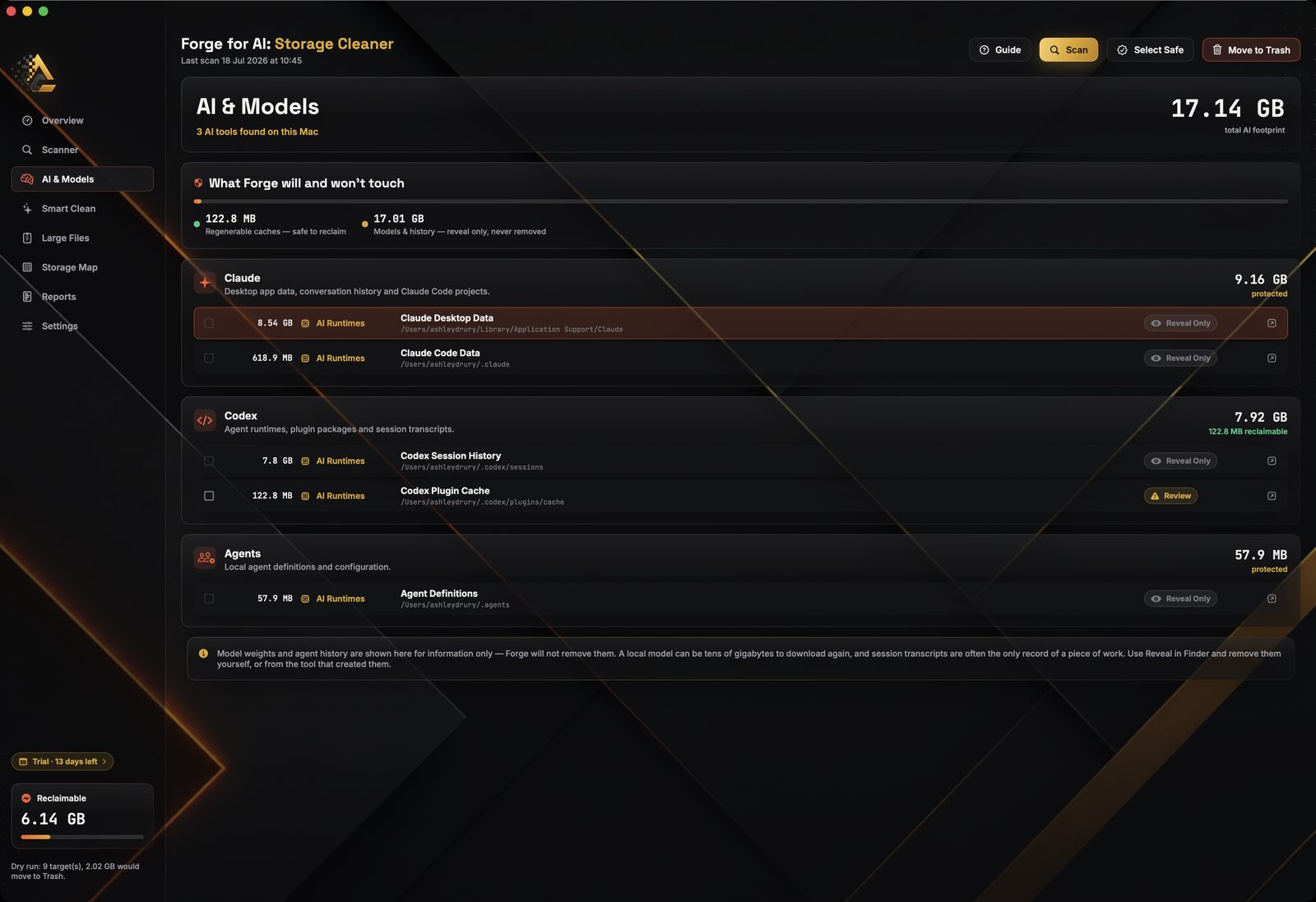
AI & Models
Grouped by tool, with the reclaimable / protected split stated up front.
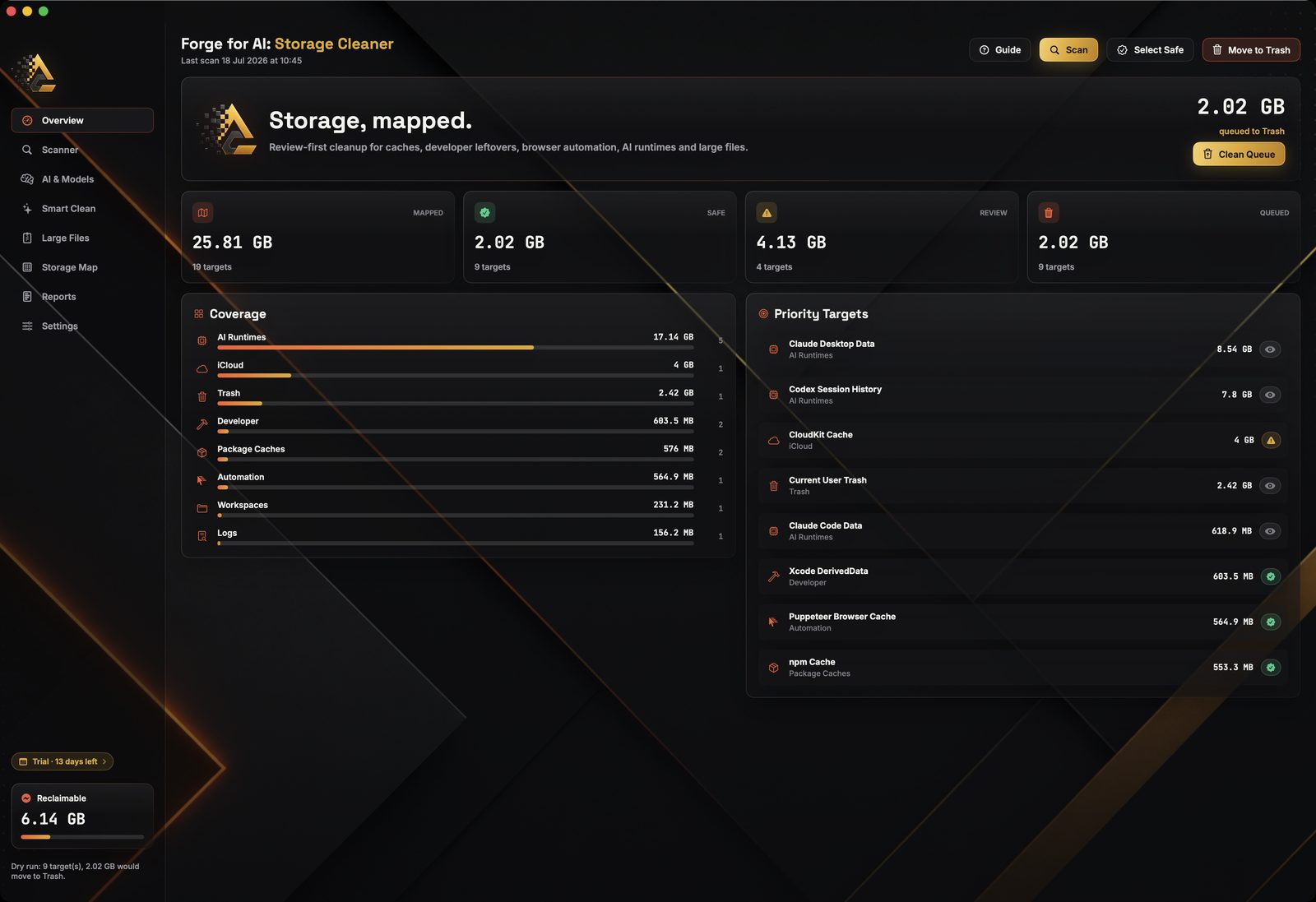
Overview
Mapped, safe, review and queued totals, plus coverage by zone.
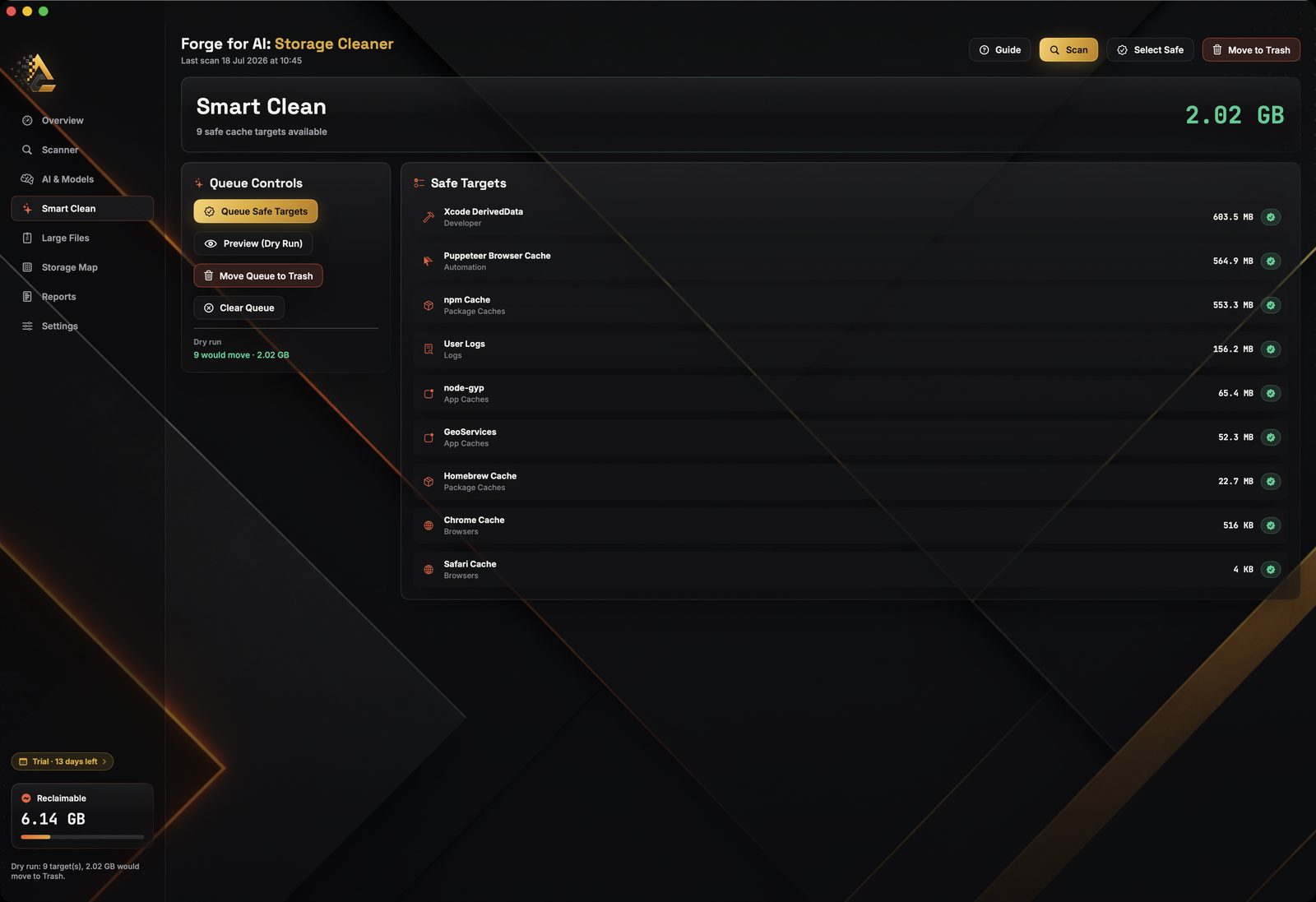
Smart Clean
Preview the whole pipeline first. “Would move” is not “moved”.
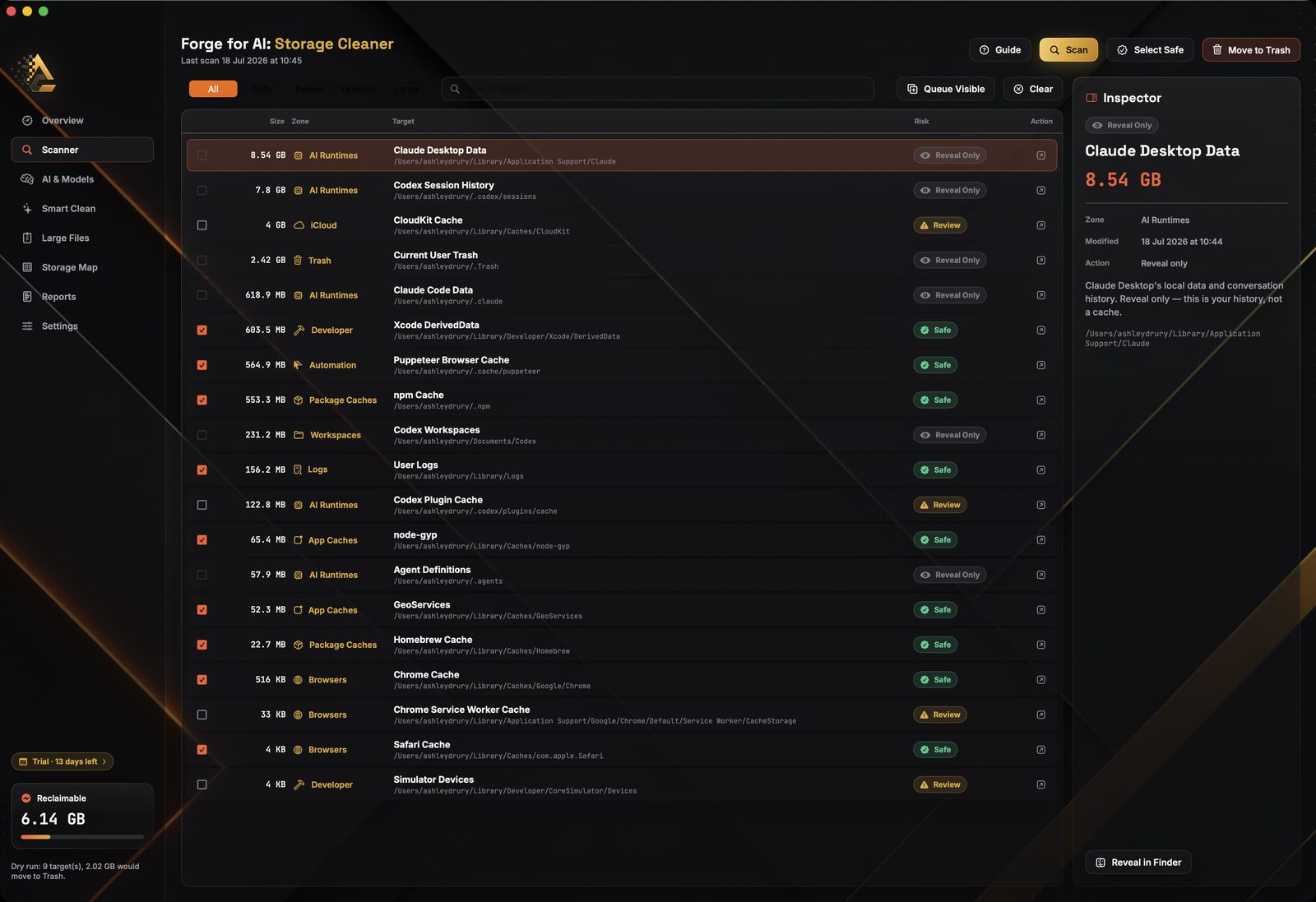
Scanner
Size, path and risk tier on every row. Nothing hidden behind a summary.
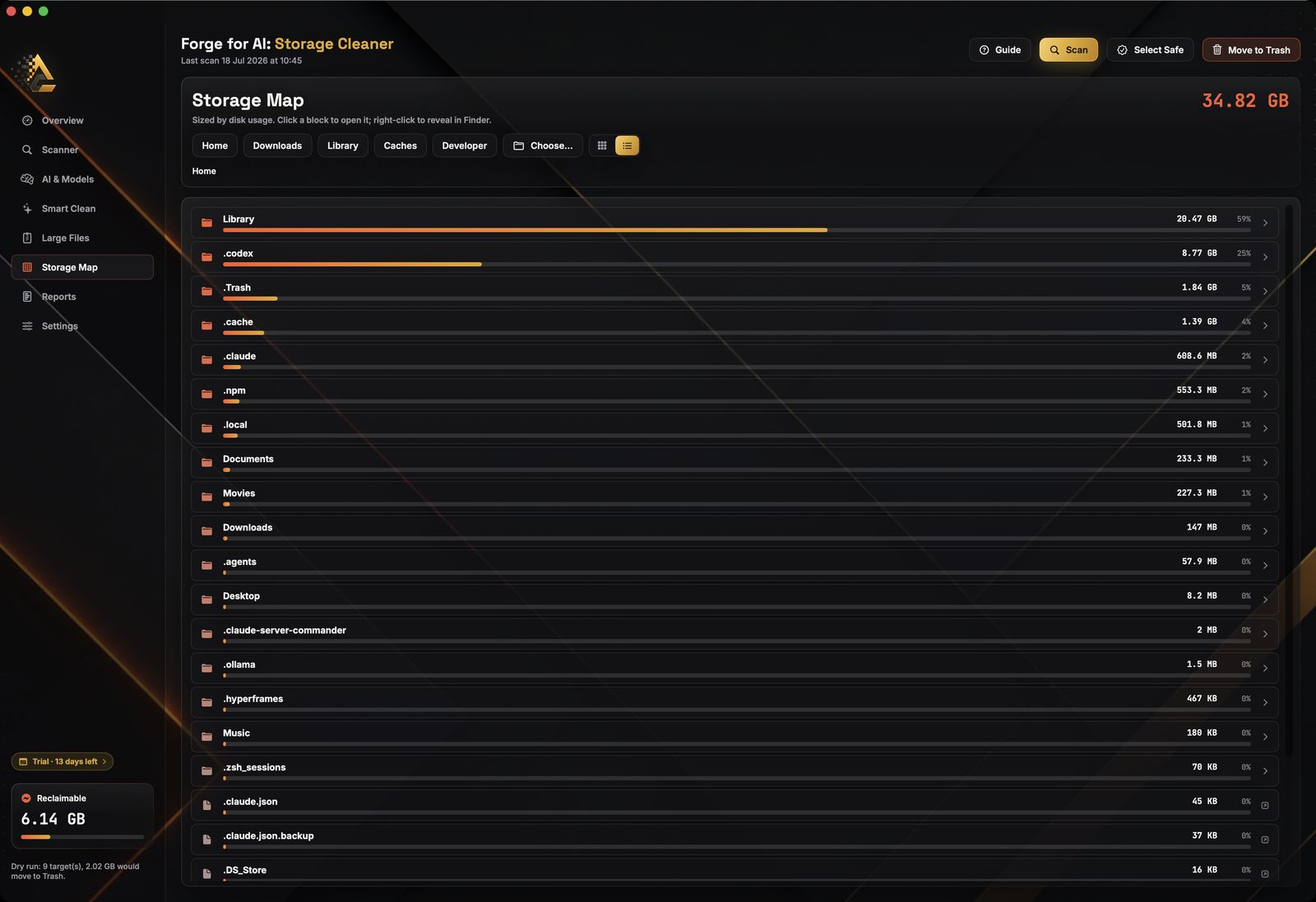
Storage Map
Where the space actually went, largest first, drillable.
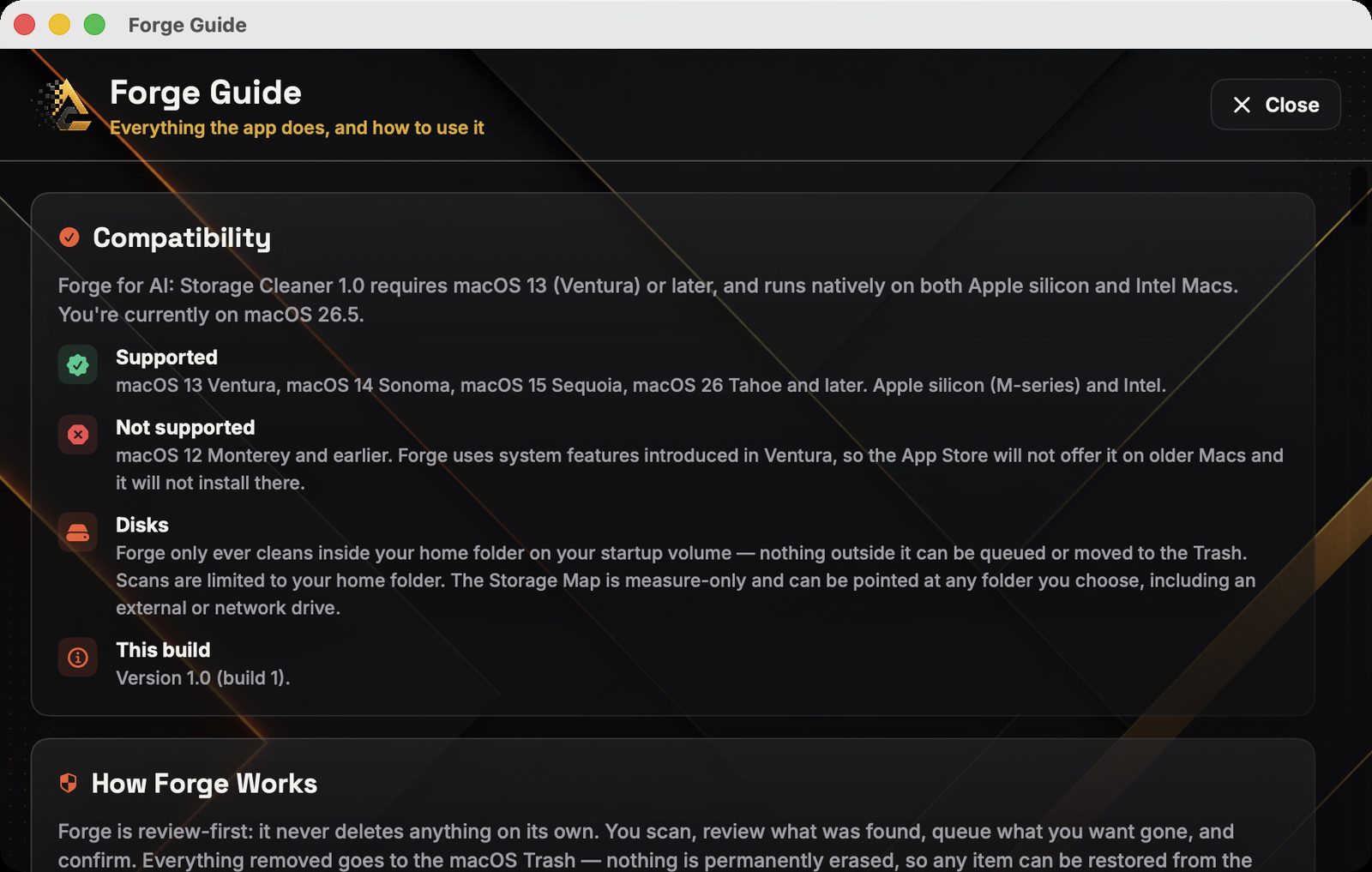
Guide
Every feature explained in plain words, inside the app.
← scroll to see all six →
Setting expectations
What it does not do.
A short list, and we would rather you read it before buying than after.
That last one is deliberate. How much you get back depends entirely on what is on your disk — so Forge measures yours and tells you, rather than picking a number for the marketing.
Also in the app
The rest of the toolkit.
Menu bar companion
Live disk-used percentage and quick actions, without opening the window.
Markdown reports
A written record of every target found, to copy or export wherever you like.
Settings that matter
Zone toggles, a minimum cache size, and your own large-file threshold.
Sandboxed
You grant your home folder once through a standard open panel. Everything stays on your Mac.
Pricing
Pay once. Keep it for good.
Free for fourteen days from first launch. After that, one purchase unlocks everything, forever.
14 days free · then a single £3.99 lifetime unlock
- Every feature: scanner, AI & Models, Smart Clean, Storage Map, Large Files, Reports
- A non-consumable unlock, not a subscription — it never renews
- The trial is local to your Mac — no server, no account, no sign-up
- No ads, no analytics, no data collected at all
Purchase via Apple · £3.99 equivalent in your region · Restore Purchase is built in
What you don’t pay for
Questions
Good to know
Will it delete my local models?
No — it cannot. Model weights, model libraries and agent session history are Reveal Only, which means the app has no ability to remove them at all. It measures them, shows you the size and path, and opens Finder if you want to deal with them yourself. On the Mac in our screenshots that protected category was 17.01 GB of the 17.14 GB of AI data found.
What actually happens when I clean?
Selected items are moved to the macOS Trash, and nothing else. They stay there until you empty it yourself. There is no secure erase, no shredding and no permanent deletion anywhere in the app. Before that, every item is retested at the moment of removal against a denylist of protected locations — and the denylist always wins.
Can I see what would happen before it happens?
Yes. Preview (Dry Run) runs the entire removal pipeline including all safety checks and reports exactly what would move — while touching nothing at all. It is the fastest way to understand the app with zero risk.
How much space will I get back?
We genuinely don’t know, and neither does anyone else selling you a cleaner. It depends entirely on what is on your disk. Forge scans yours and gives you a real figure with a full breakdown, rather than promising a number up front.
Is it “AI-powered”?
No, and it never claims to be. The name says for AI. There is no machine learning in the app. It is a storage tool that understands AI tooling — it recognises the folders Ollama, LM Studio, Hugging Face, Claude, Codex and Cursor write to, groups them by tool, and reports their size.
Why does it ask for my home folder?
Because it is sandboxed, so it can see nothing until you point it somewhere. On first run you grant your home folder through a standard macOS open panel, and Forge remembers that grant so you are not asked again. It requests no other entitlements: no Full Disk Access, no helper tool, no network access.
Does it need an account or send anything anywhere?
Neither. No account, no login, no analytics, no crash-reporting SDK and no network calls beyond StoreKit talking to the App Store on Apple’s behalf. Scan results, reports and settings never leave your Mac.
Is this the same purchase as the Markdown app?
No — they are two separate apps with two separate one-off unlocks. Forge: File Convert for AI turns files into clean Markdown on iPhone, iPad and Mac. This one is Mac-only and does storage. Buying either does not unlock the other.

Find out where it all went
Fourteen days free. Then £3.99, once. Review first, Trash only, nothing collected.